Application Screenshots
Every window you'll work in, from the music library to the on-air display

Main Screen
Everything the operator needs in one view: the playlist with cue and start-time columns, now playing and next to play, 25 jingle buttons, and transport controls with in and out points.

Classic VU Meters
The same screen with analogue VU meters and a bar spectrum in place of the digital meter — switch to whichever your studio reads more easily at a glance.

Music Library
Import folders once and every track is catalogued with category, genre, play count and last-played date. Search, filter and push selections straight to a playlist.
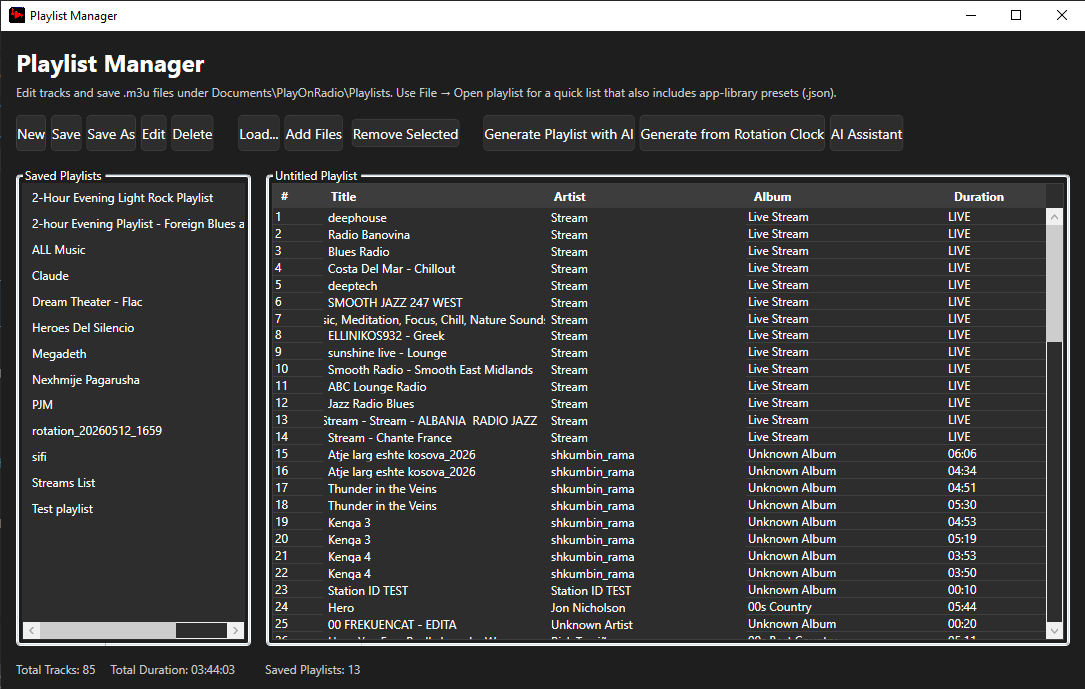
Playlist Manager
Build, save and reload .m3u playlists, mixing local files with live streams. Keep a library of show playlists ready to load at any time.
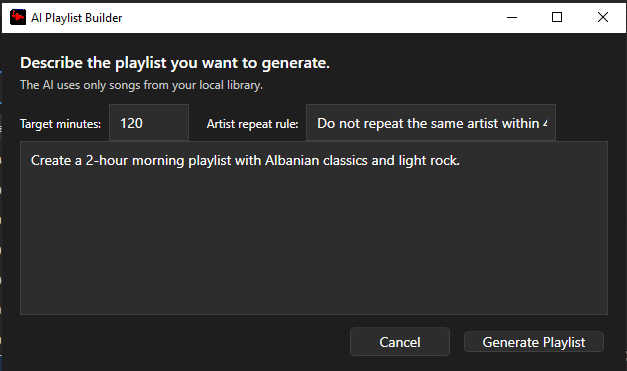
AI Playlist Builder
Describe the show you want in plain language and set a target length and artist repeat rule. Tracks are chosen only from your own library.

AI Assistant
One place for rotation rules, library analysis and show prep. Generate talking points and news angles, then refine them before they go to air.

On-Air Display
A full-screen now-playing view with a large countdown to the end of the track, readable from across the studio.

What's Next
An always-on-top running order with exact start times, plus the next clock event, scheduled voice track and encoder status at a glance.

Track Tools
Right-click any track to set cue points and intro/outro markers, record or generate a voice track, analyse audio, or lock an item in place.
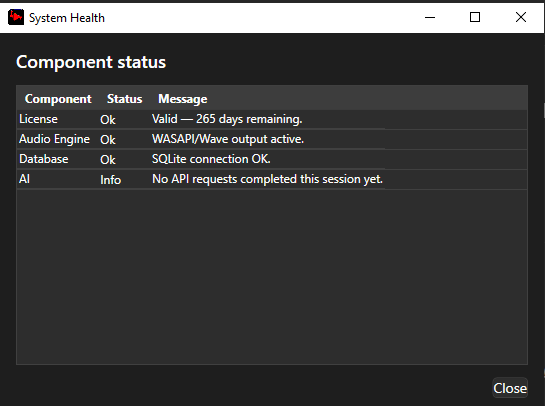
System Health
Check licence validity, audio engine output, database connection and AI status in one window, so problems surface before they reach air.